
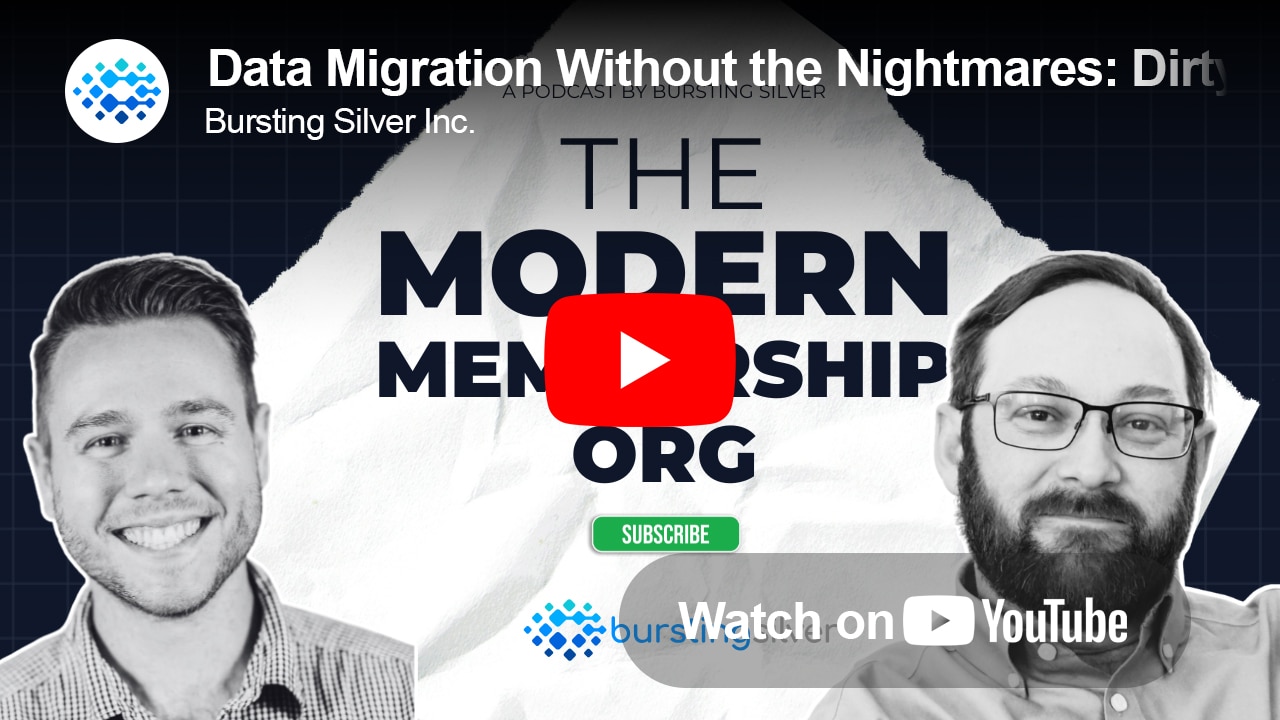
Episode summary
Most leaders picture a system migration as a simple hand-off: pick up the data, drop it in the shiny new tool, done. Des Hymers has spent almost twenty years watching what actually happens. He’s a Solution Architect at Bursting Silver, and his take is blunt: a migration is never just technical. Your business drives your technology, not the other way around. Treat an upgrade as a chance to look at how your organization really runs, and it stops being an IT project. It becomes a way to clear technical debt and make things better for staff and members.
Des walks Riley through the parts of a migration that never show up on a project plan. Dirty data, and why address data is the easiest thing to collect and the worst in every org he’s seen. The “Joan’s spreadsheet” nobody remembers to migrate. Custom code bolted on under deadline pressure. And the testing and change-management work that decides whether go-live is smooth or painful. His bottom line: write your SOPs down and get everyone to agree on them, because the business you can’t document is the business you can’t migrate.
If you lead or work in a membership organization, this one’s for you.
In this episode
- Why a migration is never “just technical.” Your business drives your tech, and whatever platform you’re on (Salesforce, SharePoint, iMIS, Dynamics), it drifts from its gold standard as the business changes around it.
- Why address data is the easiest thing to collect and the worst in every org Des has seen: a typo or a mismatched postal code sounds harmless, until someone’s charged the wrong tax or their license-renewal notice never arrives.
- “Joan’s spreadsheet”: the export-to-Excel data that isn’t live, isn’t connected to anything, and that nobody remembers to migrate until it’s too late.
- How to make a migration repeatable: script it into a pipeline with validation checkpoints, instead of cleaning records line by line.
- What good testing actually looks like: your own people in the room, real data with the emails masked, and the messy edge cases your members will hit, not the tidy happy path.
- Where to start today: get your SOPs written down and agreed on across the org. The business you can’t document is the business you can’t migrate.
Mentioned In This Podcast
EMS Upgrade Playbook – If your organization is starting out on your modernization journey from iMIS 2017 to EMS Cloud, we’ve put together this handy guide to help inform you and your team on what those next steps look like.
Hosts & Guests
Riley Miller – Host
Sales and client success lead at Bursting Silver, helping membership organizations modernize iMIS, data, and AI workflows across North America.Des Hymers – Guest
Solution Architect at Bursting Silver, and the person who first showed Riley the ropes when he joined. Des has been in IT since the early 2000s. He started in affiliate marketing and the early social web, then joined BSI as a junior developer almost twenty years ago. From there he moved into consulting, then leadership, then the partnership. These days he spends most of his time with regulatory bodies, unions, and professional associations: running upgrades, building new features, and lately a lot of AI work. He’s the one who gets called in when a project catches fire, and he’s good at turning messy, real-world business needs into clean systems that run the same way every time.About Bursting Silver
Bursting Silver is a fully remote consultancy specializing in modern CRM, iMIS, and AI solutions for membership organizations across North America. We’re a 3-time Great Place to Work Certified company that helps associations, unions, and regulatory bodies modernize legacy systems, improve data quality, and deliver better experiences for staff, members, and registrants.
Our unique ability is finding the simplicity in the complex.






The Modern Membership Org Podcast
Full Transcript
Des Hymers: And not only that — they need to have it written down, and they need to have it agreed on throughout the organization. Because if you just have it in someone’s head, well, the lottery is probably more apt to happen than getting hit by a bus. That person could just not be there one day, and then you’re hooped. So it’s so important to have that written down.
Riley Miller: Welcome back to another episode of The Modern Membership Org podcast. I’m joined today by an extra special guest — an individual I actually started working with when I first joined Bursting Silver. He showed me the ropes, taught me everything I know, and then some. I’m very fortunate to have him on the podcast today. Welcome, Des Hymers.
Des Hymers: Thanks, Riley. Glad to be here.
Riley Miller: Happy to have you. I know you’re a busy man, so it’s great to get you down here and have you contribute — especially on such an important topic like data migration. Migrations in general can be pretty messy and scary, so it’s nice to have an expert at the helm who can walk us through the ins and outs.
Des Hymers: Yeah, absolutely.
Riley Miller: So before we get started — for our audience who haven’t experienced your expertise on a call before, or haven’t had the chance because they haven’t lit anything on fire yet and needed that special touch from Des to jump on — tell the listeners who you are and how you got to where you are.
Des Hymers: Yeah, absolutely. I’ve been in the IT industry since the early 2000s. I started out in affiliate marketing and the social space — the early days of Friendster, MySpace, all that fun stuff before what we have today. Then I moved into a junior developer role at BSI almost twenty years ago. It was quite a learning curve, and I needed some stability — that’s why I chose BSI, in the not-for-profit space. From there I’ve just been honing my skills over the years as a developer, as a consultant, and moving more into the business side too. Then I moved into some leadership roles, working on mentorship — working with individuals like yourself, bringing them up in the organization, showing them what consulting is, and more importantly what it is to be a solution architect, because I think we have our own unique flavor on it. We’re not the Deloittes and the MNPs of the world, so I want to make that distinction. Then I had an opportunity to join the partnership, and it’s just been that ever since. For the last five or six years I’ve been really focused on the regulatory bodies we have within our organization — helping them do upgrades, implementing new features, and working with them on AI a lot these days. I’ve also been working with our unions and professional associations. And, as you alluded to, I get called in when something starts on fire and they need a helping hand. So it’s been a lot of fun.
Riley Miller: That expert touch. So your official title is solution architect. From a dev perspective they’ll say, “yeah, solution architect” — but can you explain in layman’s terms what a solution architect actually does, especially relating to our topic, and how that shows up in a migration or an upgrade?
Des Hymers: Yeah. A solution architect works with the client and the business, as well as with our technical people and our BAs — we help bridge the gaps. At least that’s my role, because I need to understand what the client is doing, what their goals are for their system, and where they want to be. Then I translate that for our devs and our BAs. And it’s planning — a lot of future planning. We’re not just sitting there writing code; we’re helping understand where the data needs to flow into and where it’s coming from. We need to make sure the structures are in place for future changes down the road, because we all know systems don’t stay the same. So we do a little future-proofing. As far as migrations come into play, we work with the business to understand where the data is coming from and make sure we get it into the right structures for where it’s going to end up in iMIS. And we need to make sure these are repeatable — because the end goal of an implementation, regardless of what it is or what system it is, is that go-live. If we aren’t making these repeatable from the very beginning, and we’re not strategizing from the very beginning, it’s going to fail — or it’s going to be very uncomfortable for the client, and for us too. It’s about making sure those processes are in place and that everyone understands the steps to get there. So that’s more or less what I do when it comes to implementation, and specifically data migration.
Riley Miller: It’s knowing what needs to get done right now, and why it needs to be done this way, so you’re ready for the future. And I think that calls something else into it: you have organizations that have been working in their systems for so long that when they see a new system, it can get mistaken for something as simple as picking up the data and dropping it into a shiny new tool. How does that assumption play out from a leadership perspective — someone who thinks that’s the move — and what happens when you come in and tell them how it actually works?
Des Hymers: Well, for the people who think it’s just a system upgrade — that it’s very technical — what we need to step back and think about (and this is why I’m fortunate enough to help our organizations) is that it’s not. Everyone has their own business, and the business drives the tech. Whatever platform you’re on, it really doesn’t matter — it could be Salesforce, SharePoint, iMIS, Dynamics — they don’t matter. The longer you’re on that system, the more you slowly move away from that gold standard, because your business changes. Think about a regulatory body: they get new requirements from the board, or in some cases the federal government, that directly impact how their business works. They have to take that requirement and adapt their tech stack to fit it. And over the years, you just get further and further away. So treating a system upgrade as just technical — I don’t think that’s the right way. It’s a chance for an organization to look at their business, how they operate within the system, improve efficiencies, remove that technical debt, and actually make it better for their staff and, more importantly, their members. That’s what they need to do. That’s how I look at it, and that’s how I encourage my clients to look at it too.
Riley Miller: That’s part of the exercise some people dread — but it’s a holistic exercise to improve along the way. Shake off the old, in with the new. A lot of that also translates into data. So looking at this concept of dirty data, and the data-cleanup exercise that can be pretty arduous when moving into a new system — for an organization that hasn’t gone through this before, why does dirty data cause so much pain on a migration?
Des Hymers: Well, if you think about it, some of our organizations are quite old. We’ve got some that are twenty years old, and they started on paper, with big filing cabinets. As they modernized, they moved those filled-up paper records into digital ones, and over the years that data keeps getting migrated into new systems. Their business processes change, and all this new tech comes out that’s supposed to make their lives easier — and sometimes it does, sometimes it doesn’t. But it’s all affecting that data. Each time you go through an iteration, it changes. So we see a lot of things — like address data. Address data is the easiest to collect and probably the worst for every organization I see. Everyone’s got a typo somewhere; they’re missing postal codes, or the postal code doesn’t match the right city. And the longer you’re collecting that data, the more of it there is, and you have to go through these processes of cleaning it up and tightening it up. Another one I see all the time: somebody needs a specific calculation they can’t do in their system, so they export into Excel. Now you’ve got these spreadsheets with specific data points that aren’t connected to the system and aren’t live. And then Joan down at the front desk starts updating that spreadsheet, because it’s easier than using the system. Now we’ve got really disjointed data. That’s where it starts getting dirty — and it’s hard to move, because for one, you don’t even know about it. Everyone forgets about Joan at the front desk sometimes — but she does a wonderful job. You need to buy her flowers occasionally. It’s hard to keep track of that, and it’s just so easy for it to happen.
Riley Miller: Shout out to the Joans of the world. Just the idea of duplicating the data gave me sweaty palms. And it’s funny when you see it in real time affecting an organization. One thing that’s often overlooked is that it’s “just an address” — but it could be an address that’s tied to a tax code. And if those are inconsistent, people aren’t getting charged the right tax. We’ve seen that with some clients in the past.
Des Hymers: Right. And some organizations still mail out letters. If they had their mailing address in one spot in their old system, but when it got migrated over it got pulled from a different area, all of a sudden you can’t send mail to that person. Maybe it’s something to do with their license being expired — something that’s going to affect their livelihood. They need that information. So it’s very easy to have all these different little data points, and you’ve got to tighten them up and validate them.
Riley Miller: And every time we do a migration for a client, we’ve got new tools we can leverage to help validate that. And it’s not just address data — statuses are another great one. As a member goes through their lifecycle, they have all these different statuses, each with an effective date and an end date. And if those aren’t aligned—
Des Hymers: —well, they could get in a little hot water depending on the regulatory body they’re part of. So it’s very important to make sure that’s all in line. And if it’s not, the migration is a great time to clean it up. It’s a pain in the butt, but you have to do it.
Riley Miller: Big time. So on the efficiency side — say you have an organization that hasn’t even started, but they want to be proactive so they’re not running into this when it comes time to migrate. What are some areas they can look into to start cleaning up their data? Where have you seen the quick wins, or the ones that make the largest impact, that they could be proactive about?
Des Hymers: It’s address data, again. It’s always bad — I don’t care which organization or which system you’re using. You’ve probably got maybe twenty percent that’s really good; those are your core members. And then you’ve got the ones you hear from once in a while, and their data’s wrong — I can guarantee it. You might not clean them all up before you implement the system, but maybe you flag them. As part of the migration you say, “we know these records with this flag are going to be garbage — let’s validate their addresses.” There’s Google, there’s SmartyStreets, there’s a whole bunch of these tools out there now that are quite fast and don’t cost that much anymore — years ago they’d be very expensive. Another great one: we talked about Joan and her spreadsheets. Start collecting those. Start understanding where they all are, because each department probably has three or four that only one or two people know about. You need a data point? “Go talk to Dave, he’s got it.” Well, it’s because Dave has it in a spreadsheet, and it’s not in the main system. So you have to get that all collected — or at least understand where all these different sheets live — because it’ll bite you.
Riley Miller: And I think it’s a fun pattern too — you don’t have to go in line by line and update everything manually. You can tie it to a function that translates a lot of those inconsistencies into something more consistent. That’s one of the beautiful parts of a migration when you’re doing that modernization piece: out with the old, in with the new, and you can translate things to be where they need to be in the new state.
Des Hymers: Absolutely. Whenever we’re dealing with a migration, I always tell my clients and my techs: this thing needs to be repeatable, it needs to be scripted. You have the data in one area, it flows through a pipeline, and then you can put in your checkpoints. Say you want to validate an address — you put an address validator in as, say, step three. It’ll go and either flag those records or clean them up. Addresses you don’t want to mess around with too much, because they’re tricky, and we want the members confirming those. But in some cases it’s quite easy to just clean it up — it’s different for each organization. The important thing is that you don’t have to do it line by line. You can put scripts in, you can put these different processes in, and as long as you have that repeatable process, it does the same thing every time. So if you keep adding a little bit each time, you end up with some really good, clean, validated data.
Riley Miller: And that leads into my next point. If you look at this as a process — if you keep thinking you have to update it manually every time, just repeating that can inflate the amount of work. And these migrations can be tricky; sometimes they go sideways. In your experience, what are the most common hidden landmines — the sleeper agents, so to speak — that weren’t disclosed beforehand and ended up really impacting your migration?
Des Hymers: The biggest ones are the Joan spreadsheets — we’ve talked about it a few times. As implementers, we don’t know where those are; it’s your staff who do. They use them, they have these processes. So it’s really good to engage your staff early — talk about how and why you’re moving into a new system, and review your SOPs. We want to make sure staff understand how it’s going to affect their day to day. We always say we want your subject matter experts — and it’s good to have those — but those aren’t typically the ones with the spreadsheets. They’re not the owners of them. It’s the people two or three rungs down the ladder who have them. So it’s good to talk about it as a company as a whole, so you can capture that information. Because you run two-thirds of the way through a project, somebody finally gets their eyes on it for testing, and they say, “we’re missing this data point — why aren’t you capturing it?” You backtrack, and it turns out it was in Joan’s spreadsheet, that’s why. So it’s good to capture that as best you can. You’re not going to get it all — that’s just how we work as people. And then the other big one I see quite often is, like I said, we script this data so it’s repeatable. But then the source changes — we get new data, and we find this all the time. You’ve got your name records and your address data that’s signed off and approved, but when you start changing that structure two-thirds of the way through the project, we have to start all over again — or go back and fix a bunch of them and deal with false positives. The dev team wonders why their data isn’t coming in; the BAs and the QA testing forms are saying, “we had this data, now it’s missing or it’s incorrect,” and we’ve got calculations that are wrong on the back end. It’s this waterfall of unpleasantness that balloons costs and timelines. And doing a migration is stressful enough — so when you add that on top, it gets a little hairy.
Riley Miller: I feel like I’ve been in that QA spot, flagging things up — “where’d that go? I thought we had that before.” So for other items too — I know we focus a lot on data, it’s the title of the talk here — but we also look at migrations, and I think a variable that often gets overlooked is custom configurations. You mentioned earlier that organizations who’ve been in a system for so long have grown with it and probably made their own fixes. In your experience, when those get encountered or discovered during a migration, how do they complicate the upgrade, and how do you handle them with the client or stakeholders?
Des Hymers: Typically, when we start dealing with these one-offs — the custom code or configurations — it’s when we’re expecting data to flow a certain way, or the system to work a certain way, and it doesn’t. When we move to the new system, our assumptions turn out to be wrong, and we need to make sure everyone understands what those assumptions are. When they’re wrong, that’s when we start seeing delays — and it really causes headaches on our side, which in turn causes headaches on the client side, because they have budgets and timelines, and when we don’t meet those, it’s unpleasant. And the older the system is, the more of these we see. You keep adding onto the system, and previously — before all of our SaaS products — it was really easy to just do some one-offs, make some custom SQL or some code. Now we have to try to match that. But generally you can’t — or in some cases you shouldn’t. Again, this comes back to understanding your SOPs, because when you’re moving into the new system you want to avoid all that custom work — you’re already starting with that technical debt.
Riley Miller: So that’s important too — sorry to cut you off — but that’s why, as a solution architect, you come in and evaluate those things: what’s important, what we can keep, and what down the road doesn’t match those SOPs you were talking about.
Des Hymers: Yeah, absolutely. You’ve got to have that forethought, because we know things are going to change. If we can make the system as close to out-of-the-box as we can, without leaning on custom code, we remove that technical debt. And when we start talking about custom configurations — the reason we put them in is because the system didn’t quite work the way we wanted, so maybe some of these were added very quickly because of deadlines. From a data-migration point of view, if they were put in quickly, maybe they just made all the data types VarChars — so you can put anything you want in them. Really, that field needs to be a number, but over the years you’ve added a whole bunch of other data into it. So then when you tell us “this is a number field, that’s all we’re ever going to accept,” we start getting all these weird values and we have to clean them up. We have to discuss with you: are these values actually needed? Do they need to go somewhere else? And now we’ve added a layer onto that migration — which happens all the time, and it’s fine, but it’s the result of those one-off workarounds and configurations.
Riley Miller: And hopefully those are caught — like I highlighted earlier, being on the QA side. That’s why we test, and why testing is important: those things come out in the process, where you make the judgment calls on whether they’re a quick fix or not. So on testing — when it comes to running the old and new systems side by side before you switch over, what does good testing look like? I know what good testing looks like, but for a listener looking for best practices or a standard, what should they be looking for in good testing on a migration?
Des Hymers: Yeah, that’s a great point — it’s super important. A lot of people think testing is just on the implementer to do. It’s not. Having our clients in there testing is so key — not only because they know their business, they know what their members are doing, they know those edge cases, and that’s what you need to be testing. And you need to be testing against the real world, using real data. When we do our migration before we go live, we’re actually using real client data, because that’s what needs to be in the system. We mask emails and everything to make sure no notifications slip out — as all good implementers do; it doesn’t matter the system, it’s still possible. But you need to be testing with that real-life data, not just test data. A lot of times we’ll put in some fake test data, and that test data is generally meant to pass the test — it’s not what could actually be in a member’s record.
Riley Miller: Right. Going back to what I mentioned — statuses and effective dates. If your effective dates in your old system weren’t correct—
Des Hymers: —and they’re off by a month or a day, and we’re using those to do calculations in the new system, which is very common — if you’ve got, say, twenty percent of your members with odd, weird data in there, and you don’t do a good, wholesome test throughout your whole data set, you’re not going to catch those. And your members will. They’re going to be like, “what the heck?” So it’s good to make sure you have a good sample size. The clients know their members, they know their data really well, they know their business. So pick out your problem kids, test with those records — not just the happy path. You’re going to find a lot. Well, hopefully not a lot — but you’re going to find some things.
Riley Miller: That would help. And I always get excited when people start submitting bugs.
Des Hymers: Right? I love it when I see bugs — because it means it’s being tested. It’s software; it always has issues. So as long as there are bugs, that means people are using it and testing it. It’s great. And it’s even better when the bug’s repeatable, because then I can fix it.
Riley Miller: Amen. And when your staff are testing, they’re making sure it’s being calculated and validated properly, and that everything’s working fluidly.
Des Hymers: Exactly.
Riley Miller: And a really important part there too — when you’re talking about testing, going in and finding bugs, knowing people are testing it — is that people are learning the system at the same time. One thing that’s often overlooked when you’re adopting a new system is the change to people’s workflows. Staff are in a new environment, at a new desk — a new “digi-desk.” Being able to test is also being able to practice in a sandbox and learn how the system works. So instead of framing it only as vetting the system, you’re also experiencing what you’re adopting.
Des Hymers: Absolutely. It should be part of your change management. Your staff are learning the system — they know how the old one works, but they need to know the new one. When members have issues, they’re going to be phoning in, and your staff are the ones helping them. So the better they understand the system — and its quirks, because every system has quirks, you can’t sugarcoat that — the more it helps them help your members.
Riley Miller: And that all happens through testing — lots of testing. We always tend to short our testing a little bit, thinking everyone’s going to do their job and the system’s great and all that other good, wonderful sales stuff. But every time I’ve seen a project skirt the testing, it’s just meant longer issues post-go-live. And like you said — the change-management side — I know you and James Harrison talked about that quite a bit.
Des Hymers: It’s about getting your staff seeing it early and often, so it’s not such a surprise when the cutover happens, everyone’s live, and they have to go into work one day at that new digi-desk, like you said. If they know the system and they’re familiar with it, it’s going to be so much smoother. And again — all through testing. That’s one of the ways. I could talk about change management all day long — and I have, in some cases — but we’ll save that for another one.
Riley Miller: Absolutely. I’m mindful of time too, because I’m sure we could talk about testing and change management until the cows come home. So to round off our conversation, I usually like to put on the frame of a leader at an organization. I’ll say I’m looking at a new system eventually — it’s not in the pipeline yet. But if I wanted to do two or three things now to ease into that process — to set it up to be more effective, more successful, cheaper, faster, better, less stressful — what should I be looking at doing now with my team?
Des Hymers: This goes back to your SOPs. Again — the business drives the tech. You need to make sure your staff understand all their SOPs: how they’re supposed to do their job, and why they’re supposed to do it that way. It just makes everything that much easier. They have to have a clear understanding of how it all operates, because if they don’t, they can’t tell their implementer what the system is supposed to do. And not only that — they need to have it written down, and agreed on throughout the organization. Because the lottery is probably more apt to happen than getting hit by a bus — that person could just not be there one day, and then you’re hooped. So it’s so important to have it written down and understood. And that all relates back to why you do things: why is data stored in a certain location? Why do the forms flow a certain way? It all comes down to your SOPs, and how the business operates. So to me, that’s key.
Riley Miller: Couldn’t have said it better. Well, Des, thank you so much for jumping on the call. I appreciate all your insights, experience, and expertise. If anybody wants to reach out and talk to you more about SOPs, data migration, or all those lovely things in the solution architect world — where can they find you?
Des Hymers: Yeah, they can find me on LinkedIn. And if they’ve talked to me before through email, they’ve already got my email — my phone number’s there too. So it’d be great.
Riley Miller: Fantastic. Well, thank you so much for your time. We’ll catch you on another episode.
Des Hymers: All right, thank you. Cheers.
Riley Miller: All right, that’s a wrap. This is Riley from The Modern Membership Org podcast, speaking on behalf of Bursting Silver. Thank you for listening, and thanks to Des for jumping on and giving us his expertise on data migration and data management. If you enjoyed this and want to hear more, please consider subscribing — on Spotify, Apple Music, Amazon Music, wherever you listen to your podcasts, we’re there. We’ll catch you on the next episode next week.
Modernize Your Organization With Confidence
You deserve a modern platform that supports your mission without increasing complexity.