

Scan2iMIS
Every attendee checked in and counted in iMIS. Mobile barcode tickets and door scanning for events.
What it is
Checking people in from a printed list means lines at the door and attendance typed into iMIS after the event. Scan2iMIS gives each registrant a ticket with a unique barcode for the iMIS event they registered for. At the door, your team scans each ticket against the registrations in iMIS, and attendance goes on the record as people arrive. It works with the events you already run in iMIS, including iMIS in the cloud.
What it does
Barcode tickets
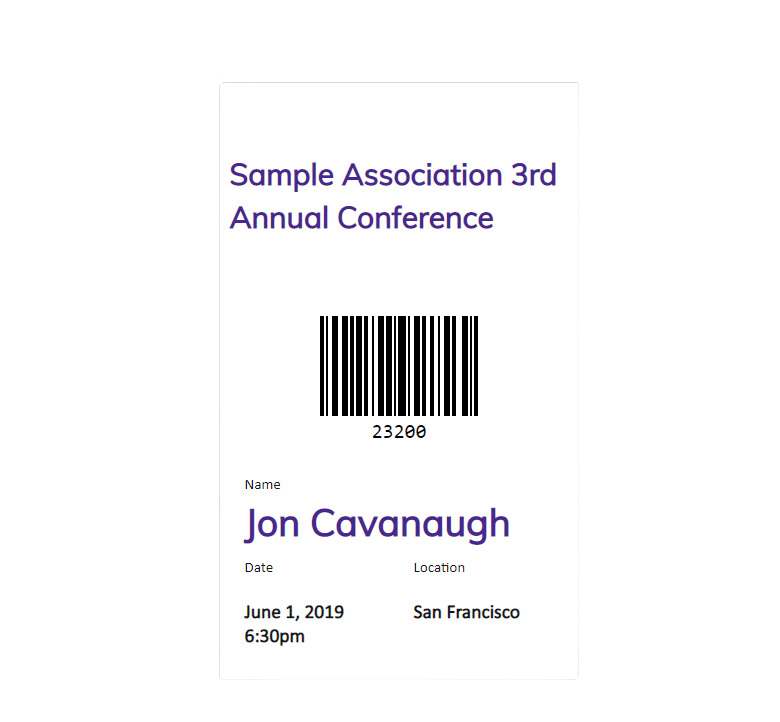
Each registrant gets a ticket with a unique barcode for their event, ready to print or show on a phone.
Tickets by email
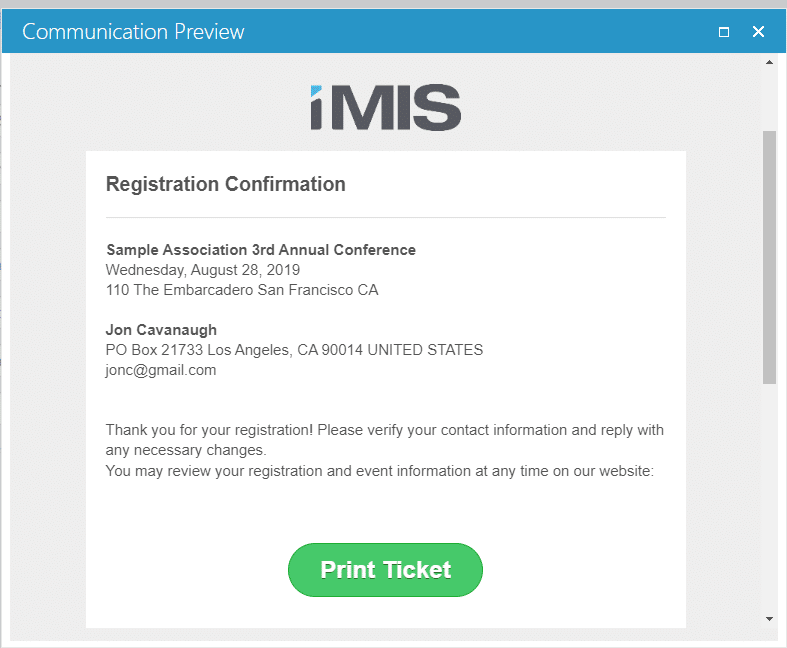
Send the ticket link with the registration confirmation. With Process Automation Plus, it goes out as soon as the fee is paid.
Scanning at the door
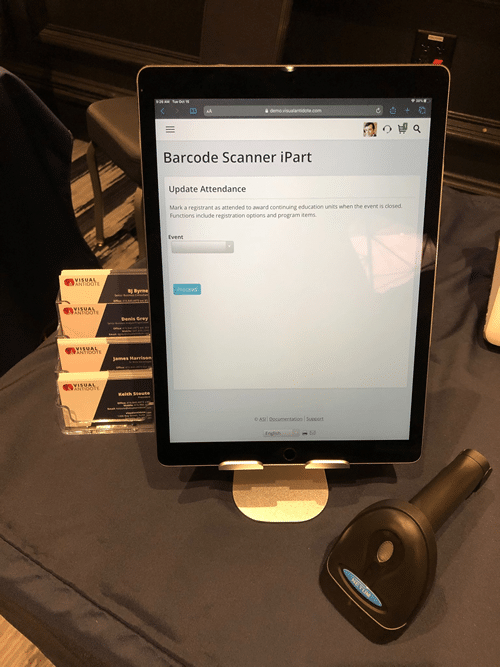
Your team scans tickets with a USB or Bluetooth handheld scanner, from a laptop or iPad at the check-in desk.
Checked on the spot
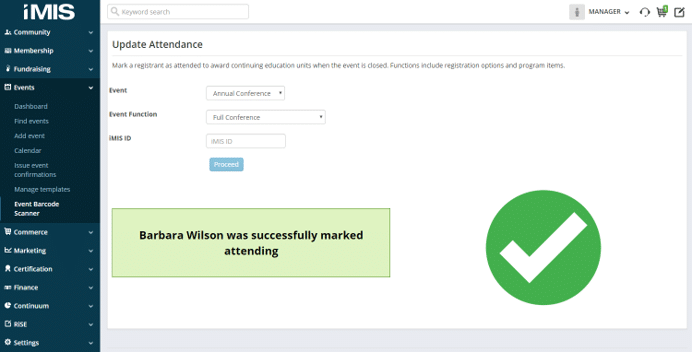
Each scan is checked against the event or function you pick, and a success or failure message shows straight away. A ticket scanned twice is caught too.
Attendance in iMIS
A successful scan marks the registrant as attending, or updates an activity record, so the attendance list is done when the doors close.
Credits that follow attendance
Marking attendance is what lets iMIS award continuing education credits when the event is closed, so credits go to the people who came.
What it involves
1
Install
We install Scan2iMIS in your iMIS: the scanning iPart on your staff site and, if you send tickets, the barcode on the member pages that show them.
2
Set up
We set it up for your events and your confirmation emails, with a sample IQA for Process Automation included.
3
Scan
Plug in or pair a standard USB or Bluetooth handheld scanner, and your team is ready for the door.
Scan and see the result
Pick the event and function, scan the ticket, and the screen confirms the registrant is marked attending.
A ticket for every registrant
Each ticket shows a unique barcode with the registrant’s name and the event’s date and location.
The ticket in the confirmation email
A Print Ticket button in the registration confirmation takes each registrant straight to their ticket.
More products for iMIS

Complaints and Investigations
for iMIS

Grievance and Discipline
for iMIS

Support Ticketing
for iMIS

Application Management
for iMIS

Document Valet
for iMIS




Let's talk through your event check-in
Book a call for a tailored demo built around the way your team runs event check-in.