
Upgrading to iMIS EMS Cloud:
Understanding Your iMIS Upgrade Path
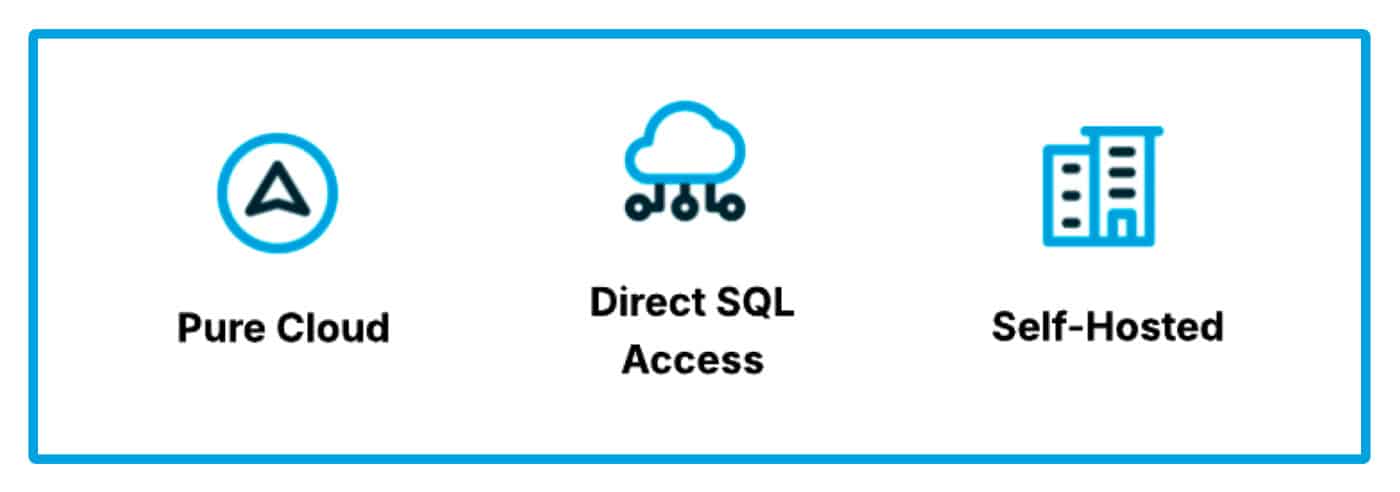
Before diving into how to assess your system’s cloud readiness, it’s helpful to know what your possible destinations look like. Every iMIS environment is unique, and your upgrade path will depend on how your system is hosted, customized, and maintained today.
Our iMIS Hosting Options Guide outlines three main upgrade pathways:
Pure Cloud (iMIS EMS):
Best for newer or lightly customized systems (iMIS 2020+). Fully managed by ASI with automatic updates, no hosting fees, and instant access to new features. However, it requires moving away from direct SQL access and rebuilding legacy customizations.
Highlights include:
- Automatic updates
- Secure & PCI Compliant system
- Hosting managed by ASI
- Latest features available immediately
- No additional hosting fees
- No more heavy lift upgrade projects
Direct SQL Access:
Ideal for long-standing iMIS environments (pre-2020) with moderate customizations. This “middle step” retains SQL access and allows you to stage your move to the cloud over multiple projects. There are some hosting costs, and custom work still needs to be modernized for the cloud.
Highlights include:
- Automatic updates
- Secure & PCI Compliant system
- Hosting managed by ASI
- Retain SQL access
- Delay/stage internal process changes over time
Self-Hosted:
Suited for highly customized systems with complex integrations that must maintain server access. This option gives full control but requires your I.T. team to manage hosting, perform manual updates every six months, and accept limited future growth.
Highlights include:
- Full database access
- Maintain legacy integrations
- Maintain all customizations
In short, the path you take (be it Pure Cloud, Direct SQL Access, or Self-Hosted) depends on your organization’s complexity and readiness for change. The following sections explain how to evaluate your current iMIS 2017 environment and prepare it for whichever path fits best.
What does it mean to be “Cloud Ready”?
Assessing your iMIS system’s cloud readiness involves taking a detailed inventory of custom components, data, and integrations. Upgrading from iMIS 2017 (self-hosted) to iMIS EMS (the 100% cloud version) may seem like a big step, but it’s one that comes with big benefits (such as, automatic updates to reduced IT overhead).
How can you tell if your current iMIS setup is prepared for this move? In this post, we’ll walk through how to audit your system for cloud readiness, what red flags to look for, and why now is the time to plan your upgrade.

Why Think About Upgrading Now?
Sticking with older technology can seem comfortable, but several ticking clocks make an upgrade urgent rather than optional. Microsoft is phasing out support for key platforms that many iMIS 2017 environments rely on. For example, Windows Server 2016 reaches end-of-support in January 2027, and SQL Server 2016 will stop receiving security updates after July 2026. Even Windows 10, which is used on many staff PCs, has stopped getting updates as of October 14, 2025. Running your association on unsupported servers or databases isn’t just inconvenient; it raises serious security and compliance risks (no patches, potential audit issues, etc.).
In short, the technology stack around iMIS 2017 is aging out.
Beyond the tech support deadlines, Advanced Solutions International (ASI) have charted a path forward that centers on the cloud. The latest iMIS EMS will always keep you on the newest version without manual upgrades. By contrast, legacy iMIS installs (like 2017 GA) will increasingly fall behind and may even face limitations (for instance, iMIS has signaled it will drop support for SQL 2016 soon). All this means the safest, smartest plan is to move to iMIS EMS sooner rather than later. You’ll not only stay supported, but also gain the new features and enhancements of the cloud platform (and free yourself from future upgrade projects).

How to Assess Your Cloud Readiness (The iMIS Cloud Audit)
Before diving into an upgrade, you need a clear picture of your current system. Think of it as a “cloud readiness audit”, an inventory of anything in your iMIS 2017 environment that won’t work in the iMIS EMS cloud. Our team often begins with exactly this kind of audit (see our Sample iMIS Cloud Audit PDF for an example of the full review).
Here are the key areas you should evaluate:
Custom database objects (tables, views, stored procs, triggers):
In iMIS 2017, it was common to add SQL views or write stored procedures for custom functionality. Cloud iMIS does not allow direct database access or custom SQL objects. All those non-standard tables, views, and procedures will need to be removed or replaced with cloud-friendly alternatives. ASI has provided scripts to find custom DB objects in an iMIS 2017 database. Use these to list out your custom tables, triggers, etc. and determine which are still in use. For anything business-critical, plan to replace it with out-of-the-box features or new tools (for example, replace a custom stored proc with a Process Automation task or webhook). If some custom tables are merely legacy data that are not needed going forward, this may be a good time to drop them.
The bottom line: no custom SQL code can ride along to the cloud, so you’ll need a plan for each one.
Custom iParts, .NET add-ons, or other server-side code:
Many organizations have tailor-made server-side iParts or other compiled code integrated into iMIS. These “non-cloud-friendly” iParts will not work on iMIS EMS, or even on the self hosted version of EMS. iMIS Cloud supports client-side customizations via the REST API and JavaScript, but you cannot install custom server-side DLLs or ASP.NET pages. If you have a custom server-side iPart (job boards, specialized data entry screens, etc.), plan to rebuild it as a client-side solution using the iMIS REST API. The sample Cloud Audit report will typically list all such custom iParts (e.g. “Job Board,” “Photo Gallery,” etc.) that were found in your system, so you know what needs rebuilding. This review is critical, you don’t want to discover after an upgrade that a vital custom screen is gone because it wasn’t compatible!
Crystal Reports and other legacy reports:
Crystal Reports are not supported in iMIS EMS. In fact, iMIS EMS drops the built-in Crystal runtime entirely. ASI has converted all the standard out-of-the-box reports to SSRS in later versions, but any custom Crystal Reports you use will need to be recreated in a new format (SSRS, IQA queries with dashboards, or the iMIS Report Writer tool). It’s common to find dozens of Crystal reports in use, in one audit we found 139 custom Crystal reports on a single iMIS 2017 system! The good news is the new iMIS Report Writer is easy for your staff to learn and easy to build reports with. Now is the time to identify all the Crystal reports in your repertoire and decide which ones you’ll rebuild for the cloud.
Tip: You can start converting reports while still on 2017, using SSRS or IQAs, and have those ready by the time you move to EMS. You can also convert them to Report Writer reports during the upgrade process once you have your staging environment set up.
Legacy modules and features:
Be aware of any older iMIS modules or features in use that have changed in the cloud version. A prime example is the Certification module. If you’re using the old Desktop Certification module in iMIS 2017, note that the EMS version only supports the web-based Certification programs. You’ll need to run a one-time data conversion to migrate your certification data from the desktop module into the Staff Site format before you upgrade to EMS. (See the ASI guide on Migrating Certification Programs for details.) Another example is Event Registrant Pricing, the ability to have special pricing based on registrant classes is not available in iMIS EMS. If you used event pricing rules (e.g., different fees for certain registrant types), you’ll need to rebuild these using the new dynamic groups pricing feature. During your audit, list any such features your organization relies on and check the EMS documentation to see if they’ve changed or been deprecated. (ASI provides a helpful Desktop to Staff Site feature comparison to identify if something you use is planned or not available in EMS.)
Integrations and third-party add-ons:
Consider how any external systems hook into your iMIS. iMIS Cloud requires using the REST API for integrations, older methods like iMIS Business Objects (iBO) or direct SQL integrations are no-go. If you have a website, e-commerce platform, or other software reading/writing to your iMIS database directly, you’ll need to refactor those integrations to use the API endpoints instead. Similarly, double-check your payment gateway: iMIS EMS at present only supports specific gateways (those are Global Payments and Stripe at this time, but ASI have highlighted that support for additional payment methods are in the works). If your iMIS 2017 is tied to a different credit card processor, your team will need to plan to transition to one of the supported gateways as part of the upgrade. Ensuring your integrations are “cloud-safe” is a vital part of readiness. It might involve coordination with your third-party vendors to update connection methods, so start those conversations early.
By conducting a thorough review of the areas above (essentially creating your own “iMIS Cloud Upgrade Checklist”) you’ll have a clear picture of what needs to be fixed or rebuilt before you can successfully move to iMIS EMS. It’s a bit like preparing a house for renovation: you want to know where all the wiring and plumbing is (and what condition it’s in) so there are no nasty surprises down the road. Many clients find value in downloading a sample Cloud Audit report (PDF) to guide their own review (we have a sample available for reference, it shows the kinds of items and reports you should look for in your system). Taking the time to audit now will make the actual upgrade process much smoother.

The Path to the Cloud: Upgrading to iMIS 20/20 Advanced Direct SQL First
One important thing to understand is that you don’t have to leap directly from iMIS 2017 to iMIS EMS Cloud in one go. There’s a stepping-stone called iMIS 20/20 Advanced Direct SQL that likely will be part of your journey.
What is this? Essentially, iMIS 20/20 Advanced Direct SQL is the same version of iMIS EMS, but with a different hosting arrangement that allows clients to have their own separate SQL database, and keep their custom SQL database objects. Think of it as a special provision for iMIS 2017 clients: you get on the latest version of iMIS EMS, but you still have database access and can use your custom SQL objects for the time being. This interim step is extremely useful. It allows you to upgrade your iMIS to the latest version while keeping your system on life support for database customizations, giving you time to replace those custom bits with cloud-friendly solutions before making the final jump.
Practically speaking, here’s how it works for many organizations:
First, you must be on iMIS 2017 (version 20.2.x) with the latest service pack to even qualify for the cloud upgrade. If you’re not there yet (some folks might still be on iMIS 15 or 20.1), you’ll need to do an on-premise upgrade to 2017 first. Once on iMIS 2017, ASI will work with you (typically through a partner/AiSP) to move your database into an iMIS Advanced 20/20 Direct SQL environment. Note that you’ll have to switch your licensing model from the old perpetual model to the subscription licensing for any version of iMIS EMS, essentially converting your license to the cloud subscription terms.
In the Advanced 20/20 Direct SQL stage, your site is usually hosted by ASI in a private cloud, but you still can run those SQL scripts we talked about, and even your existing custom triggers or tables will technically still function. However, this stage is your chance to eliminate them! As the audit report likely told you, you should start dropping or replacing custom database objects while you’re on Advanced 20/20 Direct SQL. The goal is to enter the final EMS cloud with a clean database (only supported tables and code).
After you’ve done testing and replaced what you need to on the Advanced 20/20 Direct SQL, the final upgrade to iMIS EMS is relatively straightforward. ASI’s cloud team will take your cleansed database and cut it over to the “pure cloud” iMIS EMS environment. In EMS, you won’t have any direct database access and all custom logic must run through APIs or iMIS’s built-in configuration tools, but if you’ve followed the steps above, that won’t be a problem because you will have already converted your custom reports, iParts, etc. by then.
Tools & Resources to Guide Your Upgrade
You’re not alone in this process! Both ASI and experienced iMIS consulting firms like us have produced plenty of resources to help you evaluate and execute an EMS upgrade. Here are some handy tools and references:
- Official iMIS EMS Upgrade Checklist & Guides: ASI’s online help includes a detailed Upgrading to iMIS EMS guide with checklists for each phase (Planning, Testing, Upgrading, Finalizing). This documentation covers prerequisites (e.g. must be on iMIS 2017 SP P or later), critical changes (like desktop client removal, Crystal Reports deprecation), and step-by-step tasks for your upgrade team. It’s a great starting point to read through so you know what to expect. (See: Upgrading to iMIS EMS on the ASI help site.)
- Cloud Readiness Audit Sample (PDF Download): Not sure what to look for in your system? We offer a Sample iMIS Cloud Audit report (downloadable PDF) that showcases the kind of inventory and analysis you should perform. For a team that’s looking for a place to start, it’s an excellent reference to compare against your own environment and ensure you’re not missing any hidden customizations.
- iMIS 2017 Customization Cleanup Scripts: To help identify custom database elements, ASI has provided SQL scripts (available via the Support portal) that you can run on your iMIS 2017 database. The primary one, often called the “ListNonImisObjects” script, will output all non-standard tables, views, stored procedures, and functions in your DB. It even generates SQL statements to drop those objects. Use this script early in your planning to get a full list of custom objects. Remember, all these have to be addressed (removed or replaced) by the time you go live on EMS. ASI’s documentation on Upgrade Scripts explains how to use the script and interpret results.
- Considerations Before Upgrading (ASI Article): Another highly useful read is the “Considerations before beginning an upgrade” article from ASI. It outlines top items to discuss, such as third-party integrations, custom billing setups, changes to finance modules (for example, EMS only natively supports QuickBooks for General Ledger export), and so on. Reviewing this list with your team can surface any unique scenarios that need attention (e.g. if you have a custom multi-year dues process using SQL, the article directs you to a solution for that). Essentially, it’s a checklist of special cases to think through upfront.
- Bursting Silver Insights Articles: Upgrade vs. New AMS, we know some iMIS 2017 users may be wondering, “Is now the time to switch to a completely different AMS, rather than upgrade iMIS?” It’s a fair question. We tackled this in our blog post “Things to Consider When Choosing Between Upgrading to iMIS EMS or a Different AMS.” In short, make sure you compare the new iMIS EMS to alternatives on an even playing field, the latest iMIS has capabilities far beyond iMIS 2017. Many who see EMS realize it meets or exceeds what competitors offer. Plus, the cost and risk of replacing your entire system is much higher than upgrading, the price tag and staff effort of a full reimplementation often greatly exceed those of an iMIS upgrade. Upgrading iMIS gives you a modern system without starting from scratch (and your users already know iMIS). Our blog dives into these points; it’s a recommended read if you’re weighing your options.
By leveraging the resources above and possibly engaging experienced iMIS consultants to assist, you can create a solid plan for your upgrade journey. The move to EMS Cloud is a significant project, but with preparation, it is absolutely manageable and worthwhile.
Ready to Take the Next Step? Schedule a Call with Us
Upgrading to iMIS EMS Cloud can feel daunting, but with the right planning it can also be an exciting opportunity to modernize and streamline your operations. The clock is ticking on those old servers and databases, and your members and staff are craving the improvements that the new iMIS will bring (faster interface, new features, and no more DIY upgrades!). Don’t wait until an emergency forces the issue, start the conversation now.
If you’d like expert help assessing your iMIS environment or mapping out an upgrade game plan, we’re here to help. Schedule a Call with the Bursting Silver team, and let’s chat about your iMIS EMS upgrade path. We’ve guided many organizations through this transition and can help you determine the best steps forward. Your future-ready, cloud-based iMIS is within reach, let’s make sure your system (and your team) are ready for it!
Stay in the Loop! Register for our NewsBurst Newsletter Below
Read More

AI Readiness Checklist for Membership Organizations
Trying to keep up with what’s new in AI can be overwhelming, but here’s what we are learning to help customers stay updated.

Artificial Intelligence and iMIS: What’s New in 2026?
Trying to keep up with what’s new in AI can be overwhelming, but here’s what we are learning to help customers stay updated.

Licensing Management Software for Regulatory Bodies: A Practical Guide to Modern Registrant Management
Welcome to our latest edition of the Bursting Silver NewsBurst Newsletter, featuring AI highlights, conferences, wins, and more!